FLUXI -
The AI copilot that finds the story inside your design work

Quietly Powerful —
An Invisible Ally

AI Agent Assist

Designers have the work. They just can't get it on the page.

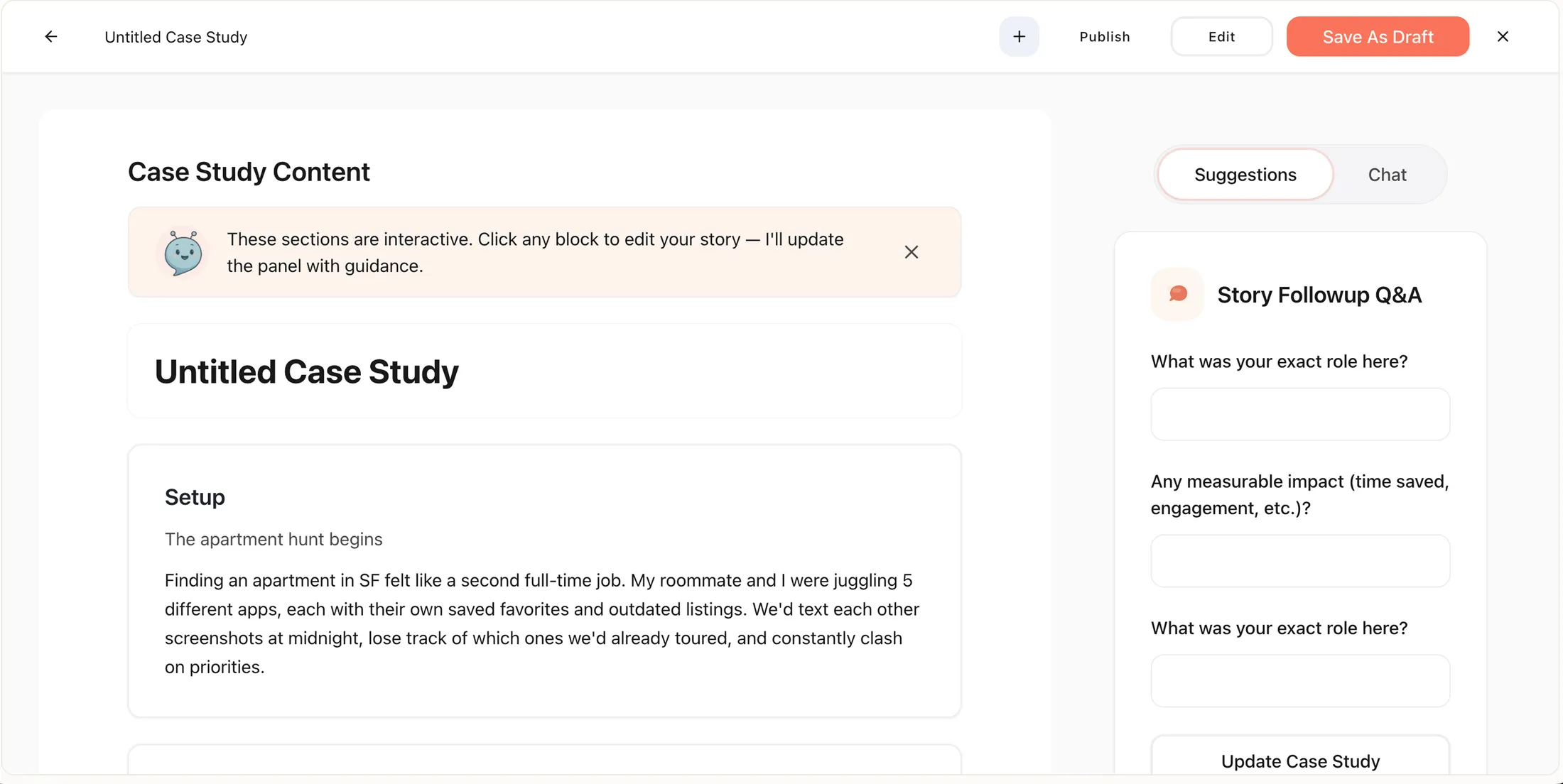
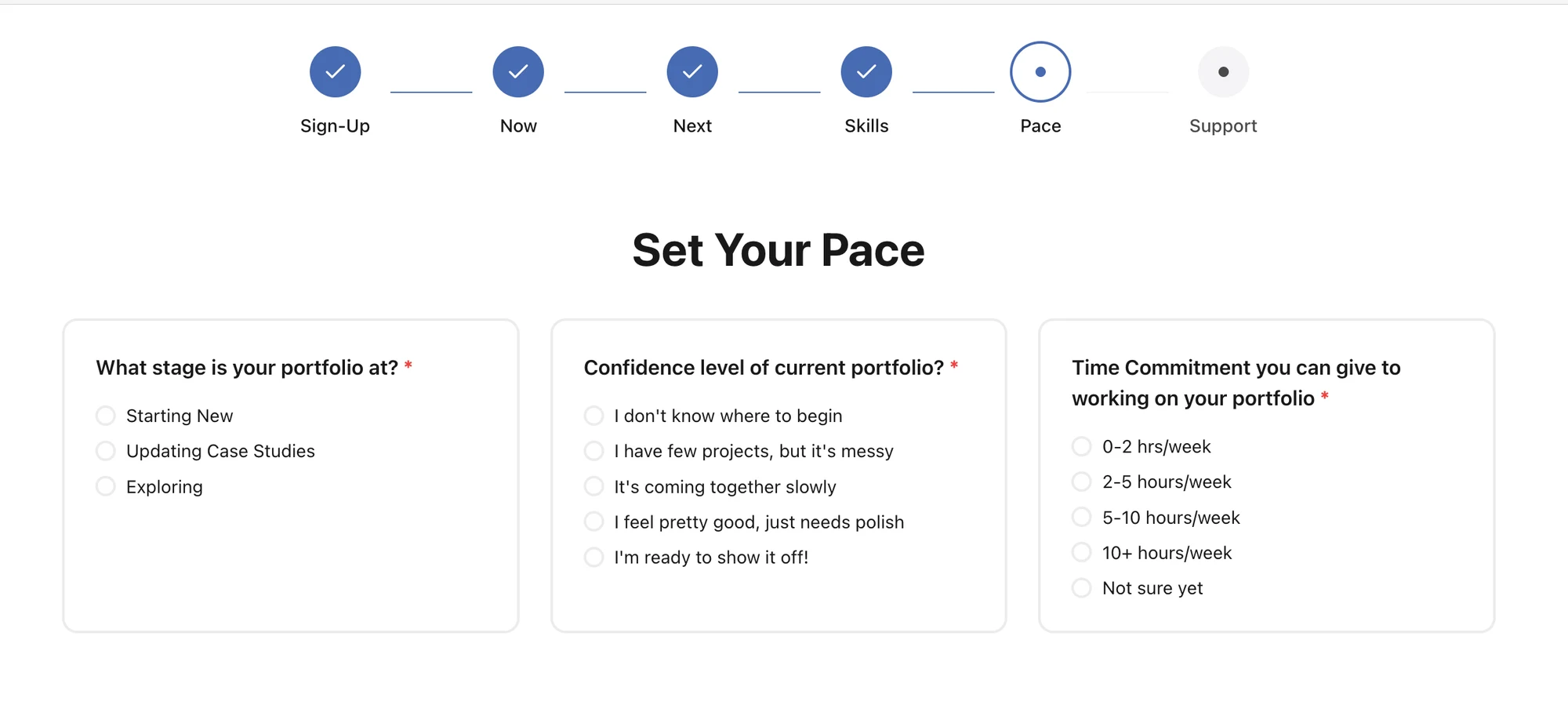
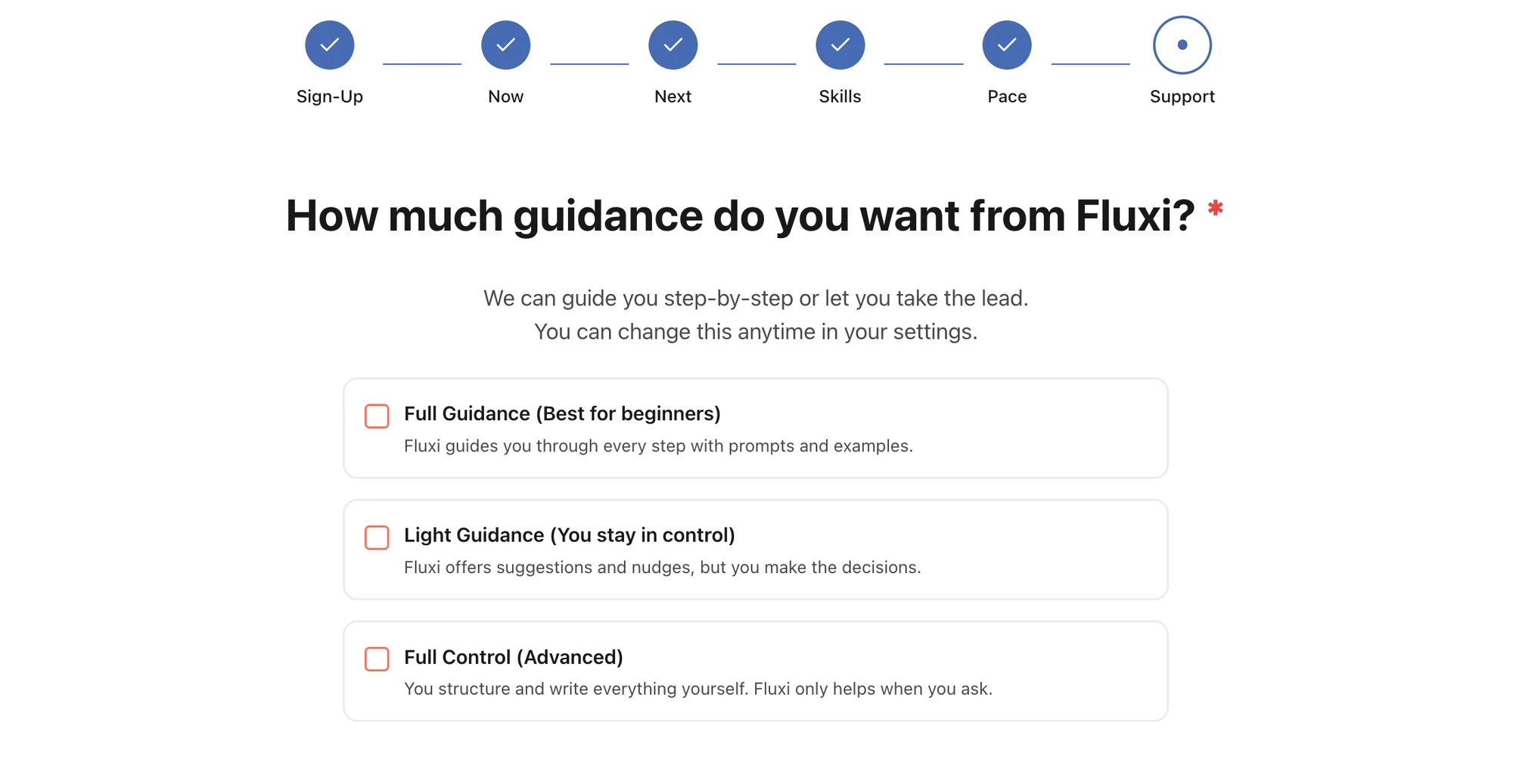
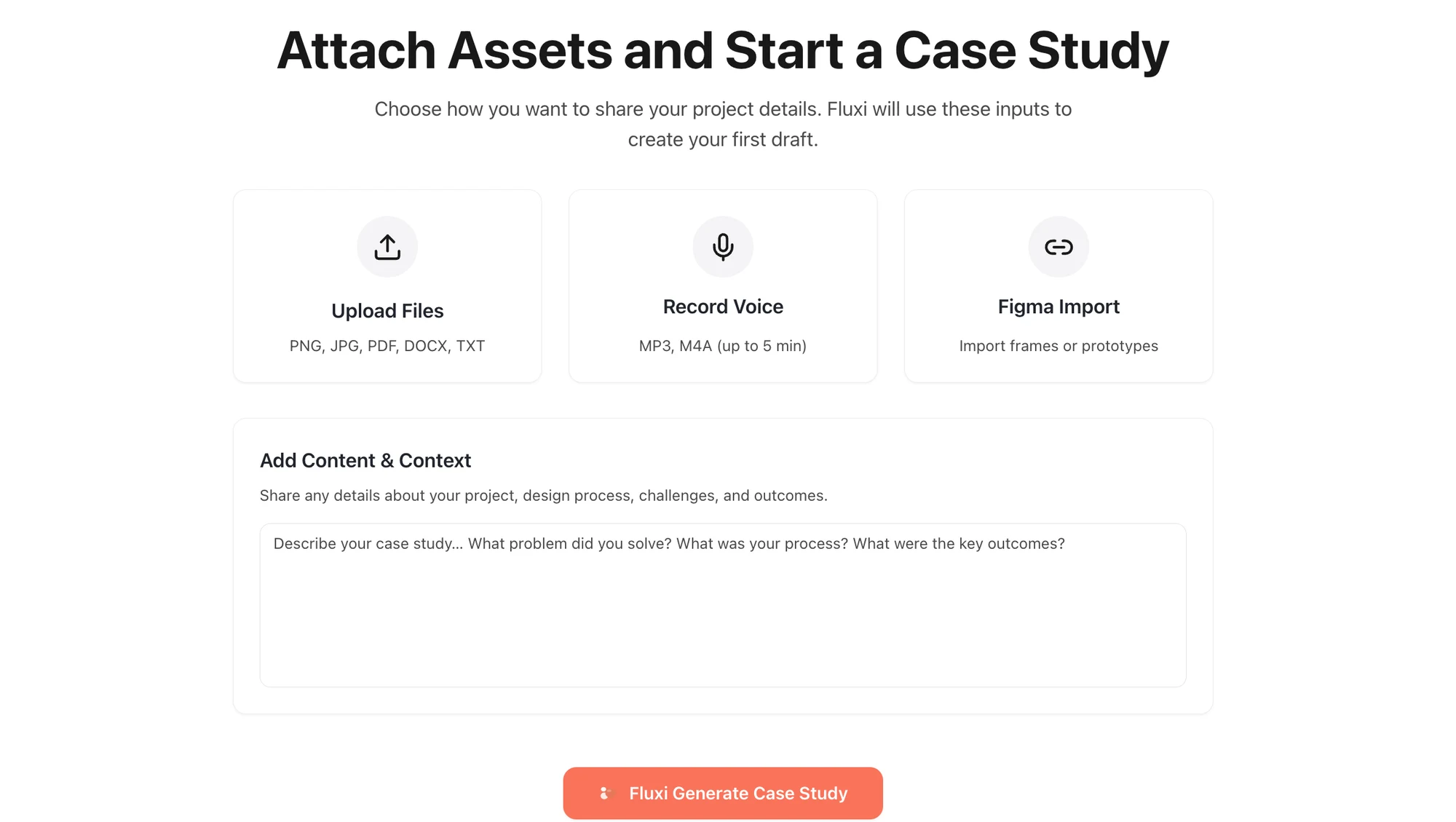
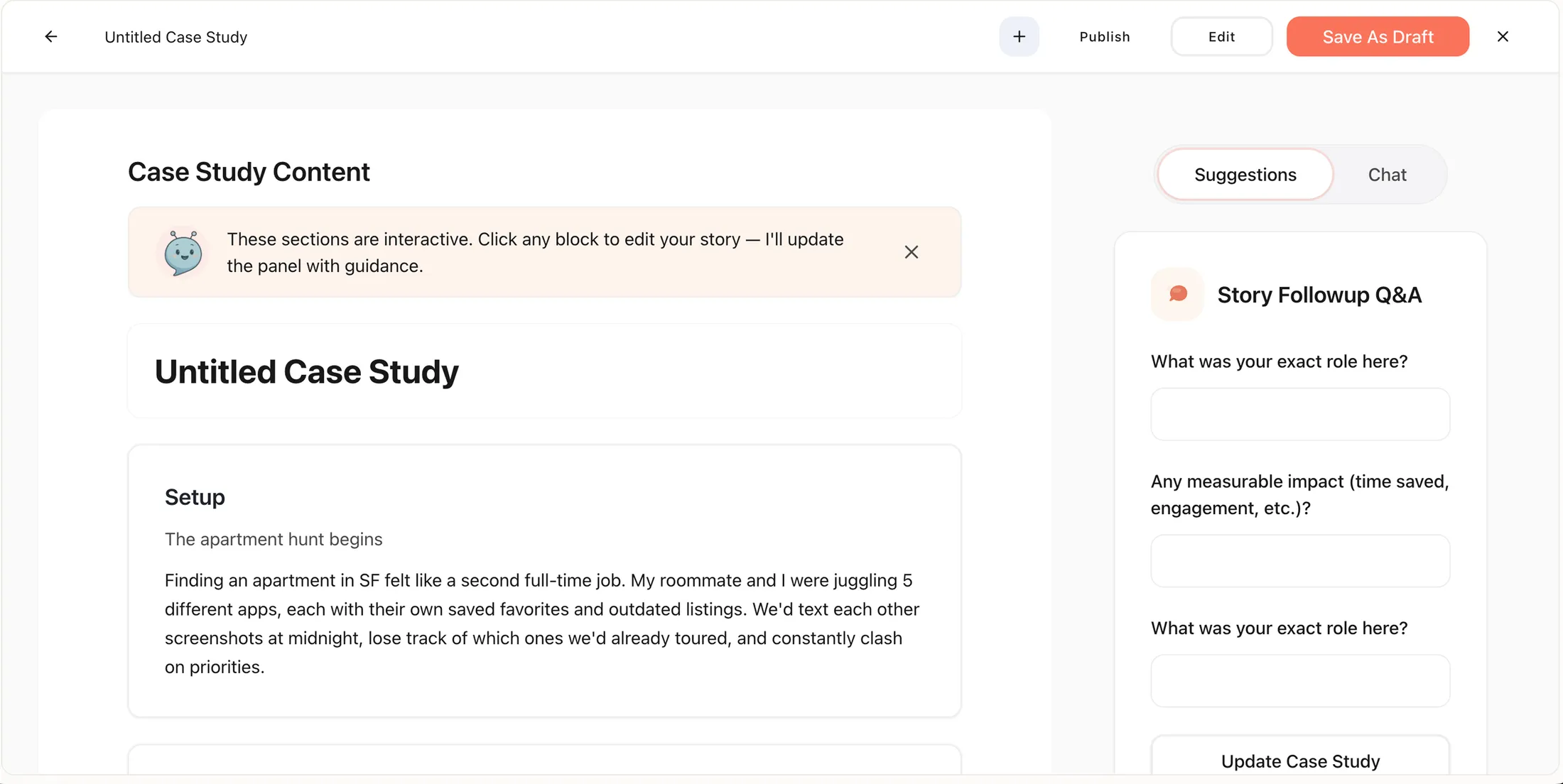
Fluxi is an AI-powered portfolio tool that helps designers turn messy files, Looms, and half-written notes into a first case study draft — generated in their voice, shaped from the work they've already done.

Today it's a working prototype focused on one thing: getting the draft out.

My Role

Led end-to-end product strategy, UX, and AI interaction design.

Scoped MVP, defined prioritization framework, shipped working prototype

Designed the LLM pipeline and prompt architecture for narrative generation

Team

Solo

Timeline

MVP - Fall 2025
Present: Working Prototype, two rounds of user testing complete

Stack

Claude + ChatGPT for thinking & writing • Lovable for building • Figma for inital designs

Challenge

The portfolio process is exhausting, iterative, and rarely finished.

Designers lose weekends to rewriting, tone-tuning, and re-exporting screenshots — while the job market keeps moving. Existing tools (Notion, UXfolio, Webflow, Case Study Designer) are static, template-bound, and not built for how designers actually work today. The raw material lives across Figma, Loom, Slack, and scattered notes. Nothing pulls it together.

The bottleneck isn't talent. It's translation.

Early Validation

The bet held up.

22 surveys and 9 interviews before a single screen designed

19/22 Designers confirmed the translation bottleneck

78% Faster to first draft in prototype testing

9/9 Interviewees said "this sounds like me"

Early-stage metrics from 22 surveys and 9 user interviews conducted in Fall 2025, plus the first round of prototype testing. Shipped metrics will be tracked through the upcoming beta.

How might we help designers turn the work they've already done into a case study draft — in their own voice — without starting from a blank page?

The Work Was Always There

One pattern across 22 surveys and 9 interviews.

Designers from their first year to their seventh described the same loop: projects shipped, decisions made, Looms recorded — and then months of drafts that never felt right.

The bottleneck wasn't skill. It was getting the material out of five scattered formats and into one voice.

"I want the first draft to exist so I can react to it. Starting is the hardest part."

-Junior UX Designer, 1 year

"I don't need help writing. I need something that respects how much context I already have and adapts based on experience."

-Senior Product Designer, 6+ years

Two Designers, Same Bottleneck.
Meet Aarav and Mia

Different stages. Same starting problem.

Designing for one designer wouldn't work — the pain looks different at 1 year vs. 7. Mia needs help starting. Aarav needs help shaping. The MVP solves both through the same engine: take what's already there, draft something that is personalized for them.

A recruiter persona was researched but deliberately scoped out of MVP — that audience gets earned later, once the designer-side experience is strong enough to extend.

Insights

It's Not A Writing Problem.

It's a translation problem.

Every existing tool treats the blank page as the enemy — so they offer templates, AI writers, or fill-in-the-blank builders.

But the designers I spoke with didn't describe a writing block. They described a translation block.

The ideas were already there, scattered across Figma, Loom, Slack, Notion, and memory. What was missing was a system that could pull it all together and draft something that sounded like them — not a template, not ChatGPT.

That reframe changed the product. Fluxi isn't an AI writer. It's a translator.

Opportunity

Start from the work, not the blank page

One job. Done well.

The MVP has one focus: take a designer from raw material to a real first draft — in their voice, fast.

It doesn't try to be a full portfolio platform. It doesn't try to be a template library. It solves the hardest moment in the process — starting — and does that moment well.

Everything else is a later problem.

Research

A Flow That Wasn’t Flowing

Observing where flow broke for both agents and admins. I shadowed real-time chats and admin setups, mapping every pause, search, and workaround.

Agents lost focus mid-conversation; admins lost agility in maintenance. Each gap revealed where guidance—not more tools—was needed.

“Even small changes to workflows needed engineering help — it slowed us down every time.”

-Admin

“I’d lose my place mid-chat while switching tabs — it broke my rhythm with the customer.”


-Agent

Insights

Finding Where AI Could Step In- and When It Shouldn't

Through observation, it became clear that not every problem needed a new feature — some needed quiet intelligence. AI could step in where repetition and hesitation lived: auto-filling data, updating tickets, or surfacing next-best actions in real time.

For agents, it meant maintaining focus without breaking conversation flow.
For admins, automation became a way to scale consistency and reduce engineering dependency—without losing creative control.

Opportunity

Turning Insight into Flow

agent opportunity
agent opportunity
admin opportunity
admin opportunity

Designing Guidance That Felt Like Second Nature

Designing for two roles meant balancing precision with empathy. Through quick sketches and mid-fi explorations, I tested how guidance could feel intuitive for agents and flexible for admins. Each iteration brought more clarity and ease to both experiences.

Agent

⭐️

Connect to Content

Add layers or components to make infinite auto-playing slideshows.

Admin

⭐️

Connect to Content

Add layers or components to make infinite auto-playing slideshows.

Bringing Calm to Complexity

With limited time before handoff, I focused on internal design reviews and motion refinements to ensure clarity and flow.

Progress indicators, collapsible modals, and simplified copy were tested internally to help agents stay focused and help admins edit workflows with confidence.

I also outlined key usability testing goals for future iterations — including cognitive load, completion time, and overall clarity — to guide validation once live data becomes available.

Layering Emotional Intelligence Into Agent Assist

As the system became smoother and more intuitive, the next challenge was to make it more emotionally aware — helping AI understand not just what was said, but how it was said.

I designed the foundation for this sentiment and compliance system, which was later integrated into Sprinklr’s AI Care platform.

View live feature on Sprinklr here and here!

This project pushed me to think beyond just clean UI. It was about designing calm into complexity—making a product feel less overwhelming for agents who live in it every day. I learned how accessibility, microcopy, and systems thinking can quietly shift how people work and feel.

Next Steps

  • Run deeper usability testing to catch the invisible friction points.

  • Build a UX writing style guide to scale clarity across workflows.

  • Partner with engineering to bring advanced accessibility features like screen reader support into the product.

Key Takeaways

  • Accessibility reshaped the experience.
    Small tweaks in contrast and sizing made workflows feel calmer and faster for agents.

  • Words outperformed features.
    Clear, actionable microcopy unlocked more ease than heavy UI changes ever could.

  • System thinking > screen thinking.
    Designing for both admins and agents pushed me to build for scale, not just aesthetics.

LinkedIn

Mail

I’m just an orbit away — let’s shape what’s next!
Open to full-time roles, new ideas, collaborations, and connections 🧋☺️

© 2025. Designed by Anuri Shah

LinkedIn

Mail

I’m just an orbit away — let’s shape what’s next!
Open to full-time roles, new ideas, collaborations, and connections 🧋☺️

© 2025. Designed by Anuri Shah